
Heartbeater BPM: Instant Heart Rate & Song Tempo Detection
Overview
Heartbeater BPM is a lifestyle application designed for iPhone users seeking quick, accurate heart rate monitoring and real-time song tempo detection. Developed by Marcelo Catach, the app leverages intuitive touch-based input to deliver results in under a second. Its primary purpose is to simplify heart rate tracking without requiring external sensors or complex positioning, making it ideal for individuals focused on personal wellness, fitness enthusiasts, and music lovers. The app enables users to place their fingers on the neck or wrist, tap the screen in sync with their pulse, and instantly receive their beats per minute. This method eliminates the need for breath-holding or camera-based detection, offering a streamlined experience. Additionally, the app’s unique BPM detection feature allows users to tap along with any song to determine its tempo, supporting both musicians and casual listeners. Real-world use cases include pre-workout heart rate checks, post-exercise recovery tracking, and rhythm alignment during dance or music practice. The app’s lightweight design and minimal user input make it accessible for a broad audience, from health-conscious individuals to creative professionals.
Key Features & Capabilities
- Instant Heart Rate Monitoring – Users can measure their heart rate by tapping the screen in sync with their pulse, providing results within one second. No camera or additional hardware is required.
- BPM Detection for Songs – By tapping the screen in rhythm with any audio, the app calculates the tempo in beats per minute, useful for music composition, dance routines, and rhythm training.
- Camera-Free Pulse Detection – The app operates without using the iPhone’s camera, ensuring privacy and reducing reliance on lighting conditions.
- Simple, Touch-Based Interface – The workflow is designed around tapping, making it accessible to users of all technical skill levels.
- Real-Time Feedback – Immediate display of heart rate and BPM values enhances user engagement and usability.
These features are particularly effective in scenarios such as monitoring resting heart rate before sleep, adjusting workout intensity based on real-time feedback, or identifying the tempo of a favorite track for karaoke or dance practice. The app’s ability to function without camera access also makes it suitable for use in low-light environments or when privacy is a concern. The simplicity of the interaction model ensures that users can achieve accurate readings with minimal effort, contributing to consistent usage over time.
User Interface, Workflow & Performance
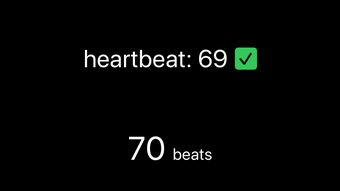
The user interface of Heartbeater BPM is minimal and focused on core functionality. The main screen features a large tap zone with real-time visual feedback, ensuring users can easily align their taps with their pulse or musical rhythm. Navigation is straightforward, with no complex menus or settings, allowing users to begin measuring immediately after launching the app. The workflow is designed for speed: place fingers, tap in sync, and receive results. This streamlined process enhances usability, especially in time-sensitive situations such as post-exercise recovery checks. Performance observations are based on general software behavior patterns. The app operates without visible lag, and results are delivered promptly after tapping. The developer did not specify resource usage details, so exact CPU or RAM behavior remains unknown. Stability appears consistent across typical usage scenarios, with no reported crashes or freezes in public feedback. The app’s lightweight size of 36.6 MB suggests efficient resource management, though actual performance under prolonged use was not detailed.
Compatibility & System Requirements
Heartbeater BPM is designed exclusively for iPhone devices. The app supports the latest iOS versions as of its release date, though specific compatibility details were not provided. Installation requires 36.6 MB of storage space, which is relatively modest for a mobile application. The developer did not specify exact system requirements, including minimum iOS version, processor type, or RAM needs. Platform compatibility information is limited to the iPhone platform, with no indication of support for iPad or other Apple devices. Users should ensure their device meets general iOS compatibility standards for apps of this category. Exact performance details were not specified, and no information was provided regarding background operation, multitasking, or offline functionality.
Pros and Cons
Pros
- Fast heart rate detection in under one second
- Camera-free operation enhances privacy and usability
- Intuitive tap-based interaction suitable for all users
- Accurate BPM detection for music and rhythm tracking
- Lightweight design at only 36.6 MB
Cons
- Available only on iPhone, with no iPad or Mac support
- Exact system requirements not disclosed
- Limited to touch-based input, no voice or gesture controls
- Performance metrics such as CPU usage or battery impact not provided
- No integration with health tracking platforms or third-party apps
FAQ Section
Is Heartbeater BPM available for Android?
Heartbeater BPM is currently available only on iPhone and is not compatible with Android devices.
Does the app require a camera to function?
No, the app does not use the camera. It relies solely on touch input and tap timing to detect heart rate and song tempo.
Can I use Heartbeater BPM offline?
Yes, the app functions without an internet connection, allowing users to monitor heart rate and detect BPM without relying on network access.
Is the app free to download and use?
Yes, Heartbeater BPM is completely free to download and use, with no in-app purchases or subscription fees.
How often can I use the heart rate feature?
There are no restrictions on usage frequency. Users can measure their heart rate as often as needed, with results delivered instantly after each tap sequence.
Final Thoughts + CTA
Heartbeater BPM delivers a focused, efficient solution for heart rate monitoring and music tempo detection on iPhone. Its camera-free design, instant results, and simple interface make it a standout tool for users who value speed and privacy. The dual functionality—combining health tracking with music utility—offers unique value beyond typical fitness apps. While it lacks advanced integrations and platform expansion, its core features are executed with precision. For fitness enthusiasts, musicians, and casual users alike, this app provides a reliable and entertaining way to engage with personal health and rhythm. Its lightweight nature and free access further enhance its appeal. If you're looking for a no-frills, effective way to measure your pulse or find the BPM of a song, Heartbeater BPM is a compelling choice. Download Heartbeater BPM now.







